onboarding
Process
-
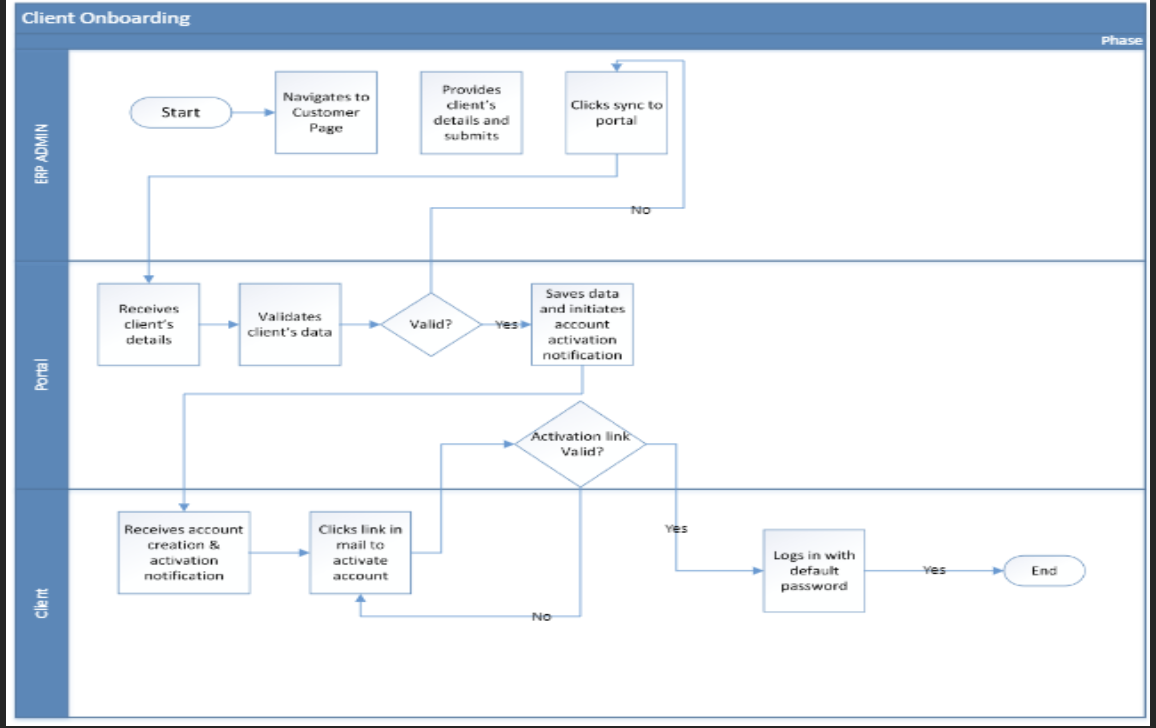
To onboard a client, the user will navigate to the customer page.
-
The user will provide the necessary details of the client and click on submit.
-
To finalize the client onboarding process on business central, the user will click on sync to portal.
-
The client receives an email containing a verification link and a default password.
-
Upon login by the client with the default password, the portal will request for change of password.